Blog

  • Shopify Hydrogen + Oxygen: Developer Guide 2026

    Shopify Hydrogen + Oxygen: Developer Guide 2026

    Introduction

    Hydrogen has matured into a serious production framework for Shopify headless builds. In the early days, many developers preferred Next.js because it was familiar and flexible. Today, Hydrogen is a stronger choice when Shopify is the center of the commerce stack and the team wants Shopify-specific primitives, routing patterns, cart utilities, Storefront API helpers, and native deployment through Oxygen.

    For developers, the decision is not simply whether Hydrogen can build a storefront. It can. The real decision is whether the project should be Shopify-native or more broadly composable. If products, cart, checkout, markets, and customer accounts live mainly in Shopify, Hydrogen can reduce friction. If Shopify is only one system in a larger content or platform architecture, a more general framework may be better.

    In 2026, the Hydrogen conversation also includes AI commerce. Stores need to be readable by customers, search engines, and AI agents. That means structured product data, fast server rendering, clean schema, and reliable catalog access are part of the technical plan.

    What is Shopify Hydrogen?

    Shopify Hydrogen is a React-based framework for building custom Shopify storefronts. It provides ecommerce-specific components, Storefront API utilities, cart patterns, data loading conventions, and server-rendered routing so developers can build a headless frontend while Shopify continues to manage commerce operations.

    Hydrogen is useful because it starts from Shopify assumptions. A generic React framework gives you routing and rendering, but it does not know how Shopify product variants, carts, selling plans, markets, or checkout URLs should behave. Hydrogen helps developers avoid rebuilding common Shopify commerce patterns from scratch.

    A Hydrogen storefront usually uses route modules. A loader fetches data on the server, often from the Storefront API. A React component renders the page. Client-side JavaScript is used where interactivity is needed, but the main content can be rendered server-side for speed and SEO.

    What is Shopify Oxygen?

    Oxygen is Shopify’s deployment platform for Hydrogen storefronts. It gives developers a managed way to deploy Shopify headless storefronts without configuring a separate hosting layer, server infrastructure, or edge runtime from scratch.

    The point of Oxygen is operational simplicity. If you build a custom storefront but host it poorly, the customer still gets a slow experience. Oxygen is designed for Hydrogen and helps teams ship server-rendered storefronts closer to customers.

    Hydrogen can also be deployed on other platforms, such as Vercel, Netlify, Cloudflare, or custom infrastructure. That can make sense if the team already has a standard deployment environment or if the frontend includes many non-Shopify services. But for a Shopify-centered build, Oxygen keeps the stack clean.

    What changed in Hydrogen in 2026?

    The biggest change is maturity. Hydrogen is no longer something teams evaluate only for experiments. It now fits modern React Router patterns, has stronger examples, and is easier to justify for brands that genuinely need a custom storefront.

    For developers, that means the build should be planned around route-level data loading, caching, server rendering, customer account flows, structured product data, and clean deployment. Hydrogen should not be treated like a generic single-page app. If everything is pushed to the client, the store loses many of the benefits headless was supposed to create.

    2026 update: Modern Hydrogen projects should be planned for React Router conventions, Storefront API discipline, edge rendering, schema markup, and AI-readable catalog experiences.

    How Hydrogen works

    A simple Hydrogen route has two major jobs: load data and render UI. The loader requests product, collection, cart, or content data. The component uses that data to render the customer-facing experience.

    Example product loader:

    export async function loader({params, context}) {
      const handle = params.handle;
    
      const {product} = await context.storefront.query(PRODUCT_QUERY, {
        variables: {handle}
      });
    
      if (!product) {
        throw new Response('Product not found', {status: 404});
      }
    
      return {product};
    }
    
    const PRODUCT_QUERY = `#graphql
      query Product($handle: String!) {
        product(handle: $handle) {
          title
          handle
          descriptionHtml
          featuredImage { url altText width height }
          variants(first: 50) {
            nodes {
              id
              title
              availableForSale
              price { amount currencyCode }
            }
          }
        }
      }
    `;

    A real build would add selected options, variant matching, selling plans, SEO fields, breadcrumbs, related products, JSON-LD, analytics, and error states. But the foundation remains simple: fetch clean Shopify data, render it quickly, and keep the frontend maintainable.

    Hydrogen vs Next.js vs Liquid

    OptionBest forTeam requirementTime to shipAI readiness
    Hydrogen + OxygenShopify-native headless buildsReact and Shopify API knowledgeMediumHigh
    Next.js + ShopifyBroader composable platformsSenior full-stack React teamMedium to slowHigh
    Liquid themeStandard ecommerce storesShopify theme knowledgeFastMedium
    OS 2.0 premium themeSMB and mid-market storesLow technical overheadVery fastMedium

    Hydrogen is strongest when Shopify is 80 percent or more of the commerce logic. Next.js is often stronger when the storefront is part of a larger web platform with complex content routing, non-Shopify services, or custom backend systems. Liquid is strongest when the brand values marketer control, speed, app compatibility, and lower maintenance.

    Storefront MCP and AI commerce readiness

    AI shopping assistants need structured product information. They need to understand product names, variants, prices, availability, reviews, policies, and fit. A clean Hydrogen build gives developers more control over how that information is exposed.

    This does not mean every store needs headless for AI. A well-structured theme can still use schema, strong product data, and clean content. But Hydrogen gives developers a more API-first surface, which can become valuable as AI commerce standards mature.

    Developers should build product pages for three audiences: customers, search engines, and AI agents. That means fast pages, accurate schema, stable URLs, clear product data, and content that directly answers buying questions.

    Getting started checklist

    1. Confirm the business reason for headless.
    2. Create a Hydrogen project using Shopify’s recommended starter.
    3. Add Storefront API credentials and environment variables.
    4. Plan routes for home, collection, product, search, cart, account, and policies.
    5. Keep GraphQL queries lean and page-specific.
    6. Choose a content model: Shopify metaobjects, external CMS, or both.
    7. Add JSON-LD for products, articles, breadcrumbs, and FAQs.
    8. Deploy to Oxygen or another suitable platform.
    9. Run Lighthouse and real-user monitoring before launch.
    10. Document maintenance, release, and rollback processes.

    Production planning notes

    Before writing code, decide how the storefront will handle errors, redirects, preview content, analytics, cart persistence, customer accounts, search, and product availability. These details sound small during discovery, but they become launch blockers if ignored. A production Hydrogen build needs a release process, staging environment, rollback plan, monitoring, and clear ownership after launch.

    Also document what marketers can change without a developer. If the answer is “almost nothing,” the project may create operational friction. Pair Hydrogen with Shopify metaobjects, a headless CMS, or a controlled component system so non-technical teams can still publish campaigns safely.

    Final recommendation

    Use Hydrogen when the store needs a Shopify-native custom frontend and the team has the skill to maintain it. Use Liquid when the store needs speed, simple operations, and marketer control. Use Next.js when Shopify is part of a larger composable platform rather than the center of the frontend architecture.


    Is Shopify Hydrogen free?


    Hydrogen is open source and free to use. The real cost is the design, development, integration, deployment, and ongoing maintenance required to run a custom storefront.


    What is the difference between Hydrogen and Oxygen?


    Hydrogen is the React framework used to build the storefront. Oxygen is Shopify’s managed platform for hosting Hydrogen storefronts.


    Can I use Hydrogen without Oxygen?


    Yes. Hydrogen can be deployed on other platforms. Oxygen is the Shopify-native choice, but it is not the only possible hosting option.


    What is React Router v7 and how does it relate to Remix?


    React Router v7 is the routing foundation used by modern Hydrogen apps. It carries forward many full-stack routing patterns developers previously associated with Remix.


    Is Hydrogen production-ready in 2026?


    Yes, for teams that understand React, Shopify APIs, performance, and ongoing frontend maintenance. It is not ideal for teams without technical ownership.
  • Headless Shopify Explained: Is It Right for You?

    Headless Shopify Explained: Is It Right for You?

    Introduction: the architecture dilemma

    Headless commerce means the frontend of your ecommerce store is separated from the backend system that manages products, inventory, checkout, payments, and orders. In a Shopify setup, Shopify still handles the commerce engine, but the storefront can be built with a custom framework such as Shopify Hydrogen, Next.js, or another React-based frontend.

    In 2026, a lot of growing Shopify brands are asking the same question: should we go headless? It sounds modern, flexible, and future-proof. It also sounds like the kind of architecture serious ecommerce brands should use. But that is not always true.

    The honest answer is that most brands do not need headless Shopify yet. Many stores can get better results by improving their existing theme, removing app bloat, restructuring product pages, improving Core Web Vitals, and using Shopify’s native content tools more intelligently. Headless becomes the right move when the business has a clear reason that cannot be solved well inside a theme.

    That reason might be a custom product configurator, an editorial shopping experience, strict mobile performance targets, multiple storefronts sharing one backend, or a need to expose cleaner product data to AI shopping agents. Without a specific reason, headless can become an expensive rebuild that makes day-to-day marketing harder.

    What is headless commerce?

    Headless commerce is an ecommerce architecture where the frontend storefront is decoupled from the backend commerce platform. The frontend can be built with React, Hydrogen, Next.js, a mobile app, or another interface, while the backend handles products, inventory, checkout, payments, customer data, and orders through APIs.

    A simple way to understand it is this: Shopify is the engine, and your storefront is the car body. A traditional Shopify theme gives you a complete car body already connected to the engine. Headless lets you design a custom body, dashboard, and driving experience while still relying on Shopify’s commerce engine underneath.

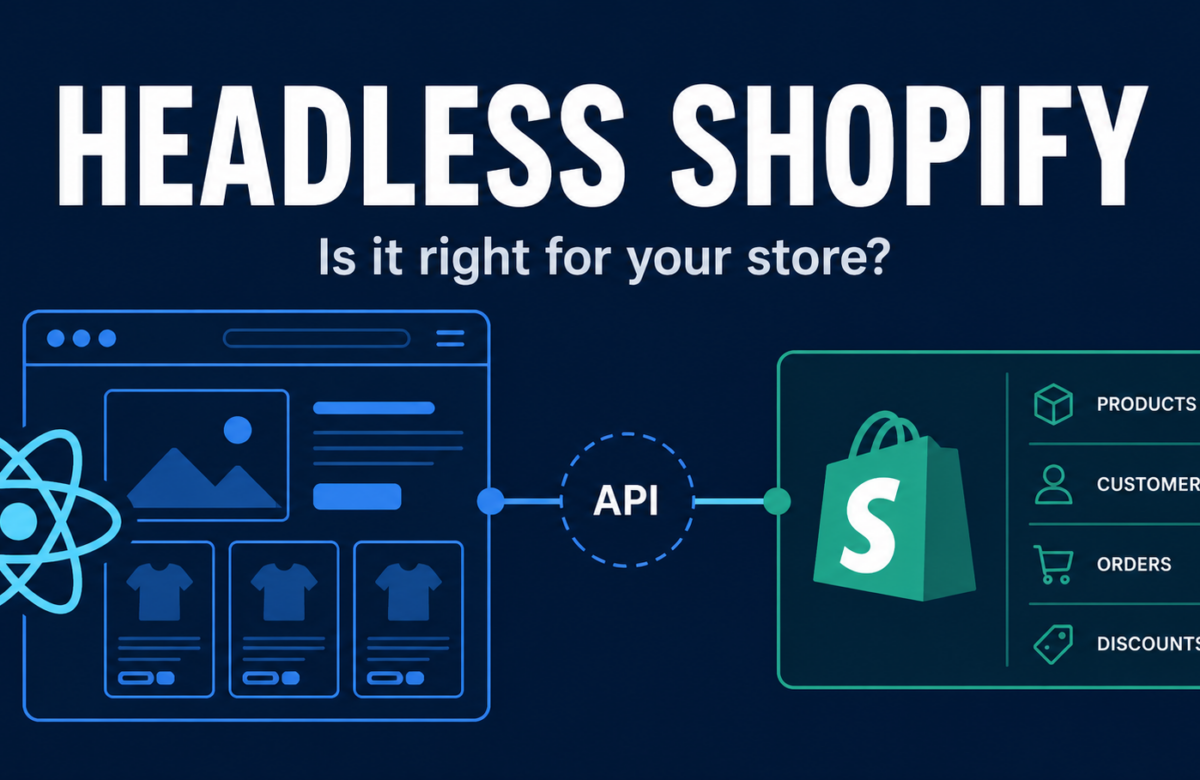
    With headless Shopify, the custom storefront communicates with Shopify using the Storefront API, usually through GraphQL. A customer lands on a page, the frontend requests product or collection data, Shopify returns structured data, and the frontend renders the experience. Checkout can still be powered by Shopify.

    This is powerful because the frontend is no longer limited to Liquid templates. Developers can build custom product pages, advanced navigation, editorial modules, interactive guides, app-like flows, or multi-brand storefront systems. But it also means the frontend becomes custom software that needs to be designed, built, hosted, tested, and maintained.

    How traditional Shopify themes work

    Traditional Shopify storefronts use Liquid, Shopify’s templating language. Liquid renders server-side HTML from theme files, product data, metafields, sections, blocks, and app embeds. For many merchants, this is not a weakness. It is the reason Shopify is practical.

    Online Store 2.0 made Shopify themes much more flexible. Merchants can use sections across templates, create reusable content blocks, add metafields and metaobjects, and manage many page changes without asking a developer. App blocks also make many app integrations easier to manage inside the theme editor.

    This matters because ecommerce teams move fast. Marketers need to launch campaigns. Merchandisers need to update product content. Founders need to test offers. A theme-first store lets non-technical users make many changes directly in Shopify.

    The limitation appears when the brand outgrows the theme model. If the product page needs to behave more like a software interface than a product template, Liquid can feel restrictive. If the store depends on a custom content-commerce experience, the theme editor may not provide enough control. If performance is blocked by third-party scripts and theme complexity, the team may need a cleaner architecture.

    How headless Shopify works

    In a headless Shopify setup, Shopify becomes the backend commerce system. The frontend becomes a separate application. That application can be built with Hydrogen, Shopify’s official React framework for headless storefronts, or another framework such as Next.js.

    The data flow looks like this:

    Customer action -> React component -> Storefront API request -> Shopify backend -> API response -> rendered storefront.

    Hydrogen is designed specifically for Shopify commerce. It gives developers patterns for product pages, carts, server-side rendering, Storefront API queries, customer account flows, and Shopify-specific commerce utilities. Oxygen is Shopify’s hosting platform for Hydrogen storefronts, giving teams a Shopify-native deployment path.

    This setup gives developers more control over rendering, caching, schema markup, route structure, image handling, and third-party scripts. It also gives brands more freedom to create experiences that do not fit into standard theme sections.

    Benefits of going headless

    The first benefit is performance potential. A well-built Hydrogen storefront can reduce unnecessary JavaScript, control image loading, manage caching more precisely, and avoid some of the script bloat that slows down app-heavy themes. This does not mean every headless store is fast. It means the team has more control over the conditions that make a store fast.

    The second benefit is design freedom. Headless is useful when the store experience is a brand differentiator. Think product builders, interactive fit guides, editorial PDPs, custom collection journeys, advanced filtering, or landing pages that behave more like applications than templates.

    The third benefit is AI commerce readiness. AI shopping assistants, answer engines, and product recommendation systems need structured product data. A headless build gives developers stronger control over JSON-LD, schema, clean product data, and API-readable page structures.

    The fourth benefit is omnichannel flexibility. The same Shopify backend can feed a website, mobile app, kiosk, AR experience, B2B portal, or other interface. This matters when commerce extends beyond one online storefront.

    The real costs of headless Shopify

    Headless is not expensive because Hydrogen has a license fee. The expensive part is the custom software work. A serious headless build can include UX strategy, frontend development, CMS integration, search, subscriptions, loyalty, analytics, SEO migration, QA, and ongoing maintenance.

    For larger brands, headless builds can easily reach six figures. Enterprise composable builds can cost significantly more, especially when multiple systems need to work together. Even after launch, the brand needs developers who understand React, Shopify APIs, performance, and deployment.

    App compatibility is another major cost. Many Shopify apps are built for Liquid themes. Review widgets, loyalty apps, subscription tools, bundles, and personalization apps may not work out of the box in a headless storefront. Some offer APIs. Some need custom integration. Some may need to be replaced.

    Marketing workflow also changes. In a theme-first store, marketers use the Shopify theme editor. In a headless store, content may live in a CMS, and layout changes may need developer support unless the system is intentionally built with visual editing.

    Decision filter: choose Liquid or headless?

    Choose Liquid / OS 2.0 if…Choose headless if…
    You need to launch quickly.You need a custom buying experience.
    Your team is mostly non-technical.You have React or Hydrogen development support.
    Your store has standard ecommerce UX.Your product page needs custom logic.
    Apps and a premium theme meet most needs.Theme limitations are blocking revenue.
    Marketers must edit pages daily.You can support a CMS or developer workflow.
    You want predictable maintenance.You can justify the rebuild with ROI.

    The safest rule is to choose the least complex architecture that can achieve the business goal. If a better theme, app cleanup, and stronger content model solve the problem, stay theme-first. Choose headless when the requirement is specific, valuable, and difficult to solve inside Liquid.

    Final recommendation

    Headless Shopify is right for brands that need control more than convenience. It is not automatically better than Liquid, and it is not a shortcut to growth. It is an architecture decision that should be tied to performance, UX, operations, or channel strategy.

    If your store is under heavy app bloat, start with a performance audit. If your team cannot launch campaigns without developers, think carefully before removing the theme editor. If your customer experience is genuinely limited by themes, headless may be the right next step.

    Internal links

    Read next: Shopify Hydrogen + Oxygen Developer Guide 2026 (/blog/shopify-hydrogen-oxygen-guide-2026), Headless vs Theme-First: Speed, Cost, and Trade-offs (/blog/headless-vs-theme-shopify-comparison), and OS 2.0 vs Headless: Decision Framework (/blog/shopify-os2-vs-headless-decision-framework).

    FAQ

    What is the difference between Hydrogen and Oxygen?

    Hydrogen is Shopify’s React framework for building a custom headless storefront. Oxygen is Shopify’s hosting platform for deploying Hydrogen storefronts. Hydrogen is the code framework; Oxygen is where the storefront runs.

    Is headless Shopify free?

    Hydrogen is open source and Oxygen may be included depending on the Shopify plan, but headless Shopify is not truly free. The main cost is strategy, design, development, integrations, QA, and maintenance.

    Does headless Shopify work with Shopify apps?

    Some apps work through APIs, but many Shopify apps are built for Liquid themes. Before going headless, audit every critical app and confirm whether it supports headless integration.

    How long does a headless Shopify build take?

    A focused Hydrogen build can take 6 to 8 weeks when scope is clear. Larger composable builds with CMS, search, subscriptions, loyalty, and multiple markets can take several months.

    What is Storefront MCP?

    Storefront MCP is an emerging way for AI agents to access live storefront or catalog data. For merchants, it matters because AI shopping assistants need structured product data to recommend products accurately.

    Can I migrate from Liquid to Hydrogen gradually?

    Yes. Many brands start with a hybrid path, keeping most of the store on Liquid while rebuilding high-value pages or experiences in Hydrogen.
  • Protecting SEO Rankings During a Platform Migration

    Protecting SEO Rankings During a Platform Migration

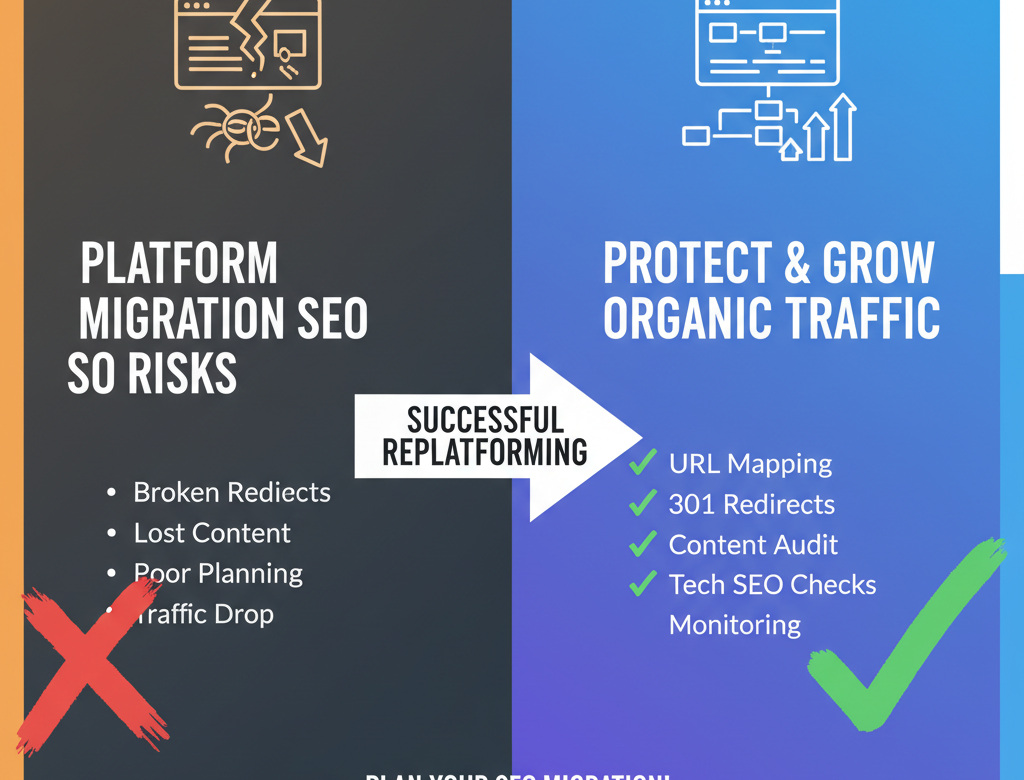
    A platform migration can improve ecommerce performance, but it can also damage organic visibility if SEO is treated as a secondary concern. Whether you are moving to Shopify Plus from Magento, WooCommerce, SFCC, or a custom platform, platform migration SEO should be planned from the beginning.

    Search engines do not automatically understand your new site structure, your changed URLs, or the relationship between old and new content. If redirects are incomplete, metadata disappears, canonicals are wrong, or content quality drops, rankings can decline quickly.

    Why SEO drops happen during migrations

    SEO losses usually come from avoidable implementation issues. Common causes include broken redirects, deleted content, missing metadata, internal link issues, duplicate content, noindex errors, poor canonical logic, and weak post-launch monitoring.

    Start with a URL inventory

    Build a list of every important indexable URL on the current site. Include top-performing product pages, collection pages, blog content, landing pages, and evergreen guides.

    Map every important page

    Each important URL should have a clear destination on the new platform. Redirect users and crawlers to the most relevant equivalent page, not just the homepage.

    Preserve content quality

    Do not let the migration weaken your content. Maintain valuable copy, titles, headings, category text, FAQs, and internal linking structures where possible.

    Protect technical SEO elements

    Review title tags, meta descriptions, canonical tags, schema markup, robots directives, XML sitemaps, pagination behavior, hreflang if relevant, and image alt attributes.

    Implement 301 redirects correctly

    Redirects are the backbone of replatforming SEO. Test them before and after launch. Avoid redirect chains, loops, and mismatched destinations.

    Check internal links

    Migrations often leave behind hard-coded internal links pointing to old paths. Update them systematically.

    Verify analytics before launch

    Make sure analytics, Search Console, conversion tracking, and event measurement are ready before the new site goes live.

    Monitor after launch

    After launch, watch crawl errors, impressions, clicks, rankings, indexed pages, log anomalies, and landing page performance closely.

    Final thoughts

    Protecting rankings during a migration is less about tricks and more about discipline. Strong SEO migration planning preserves hard-earned visibility while giving the brand room to grow on a better platform.

  • WooCommerce vs Shopify: What You Gain and What You Lose

    WooCommerce vs Shopify: What You Gain and What You Lose

    WooCommerce vs Shopify is one of the most common platform comparisons in ecommerce. On the surface, both can power an online store, support payments, manage products, and integrate with marketing tools. But as brands grow, the differences become much more important.

    The real comparison is not just feature versus feature. It is operating model versus operating model. WooCommerce offers flexibility through WordPress and plugins. Shopify offers a more controlled, commerce-first ecosystem built for speed, simplicity, and scale. For some brands, WooCommerce remains a good fit. For others, moving from WooCommerce to Shopify becomes the obvious next step.

    What you gain with Shopify

    The biggest gain is operational simplicity. Shopify reduces the burden of hosting, updates, plugin conflicts, and infrastructure decisions. For lean teams, that matters a lot.

    You also gain a more consistent ecommerce experience. Shopify is designed around commerce workflows first. Product management, promotions, checkout, inventory visibility, and app integrations tend to feel more cohesive.

    Another gain is reliability. WooCommerce performance can vary significantly depending on hosting quality, plugin load, caching, and maintenance discipline. Shopify gives brands a more predictable baseline for speed and uptime.

    You also gain faster execution. Teams can often launch campaigns, update merchandising, add sales channels, and test ideas faster with Shopify than with a heavily customized WooCommerce setup.

    Checkout is another major area. Shopify’s checkout experience is one of the platform’s biggest strengths, especially for brands focused on conversion.

    What you may lose with Shopify

    The biggest perceived loss is control. WooCommerce gives developers deep access because it is open and WordPress-based. Some teams value that flexibility.

    You may also lose certain highly specific custom workflows if they were built deeply into a WooCommerce stack. Recreating them on Shopify may require different patterns, apps, or custom app development.

    There can also be differences in content flexibility depending on how your WordPress environment was structured. If content marketing is central to your business, planning the CMS transition carefully matters.

    Finally, some teams need to adjust to Shopify’s opinionated model. That structure is often a benefit, but it can feel limiting if you are used to open-ended customization.

    When WooCommerce still makes sense

    WooCommerce can still work well for smaller businesses, content-led brands with straightforward commerce needs, or teams with strong WordPress expertise and low operational complexity.

    When Shopify becomes the better choice

    Shopify is often the better choice when growth creates operational stress. If plugin maintenance is constant, page speed is inconsistent, updates break workflows, or launch velocity is slowing, Shopify usually offers a stronger path forward.

    Final thoughts

    In the WooCommerce vs Shopify debate, the best choice depends on what your business needs most: maximum flexibility or faster, simpler execution. For many scaling brands, Shopify wins because it helps the team do more with less friction.

  • Magento 2 to Shopify Plus: The Full Migration Checklist

    Magento 2 to Shopify Plus: The Full Migration Checklist

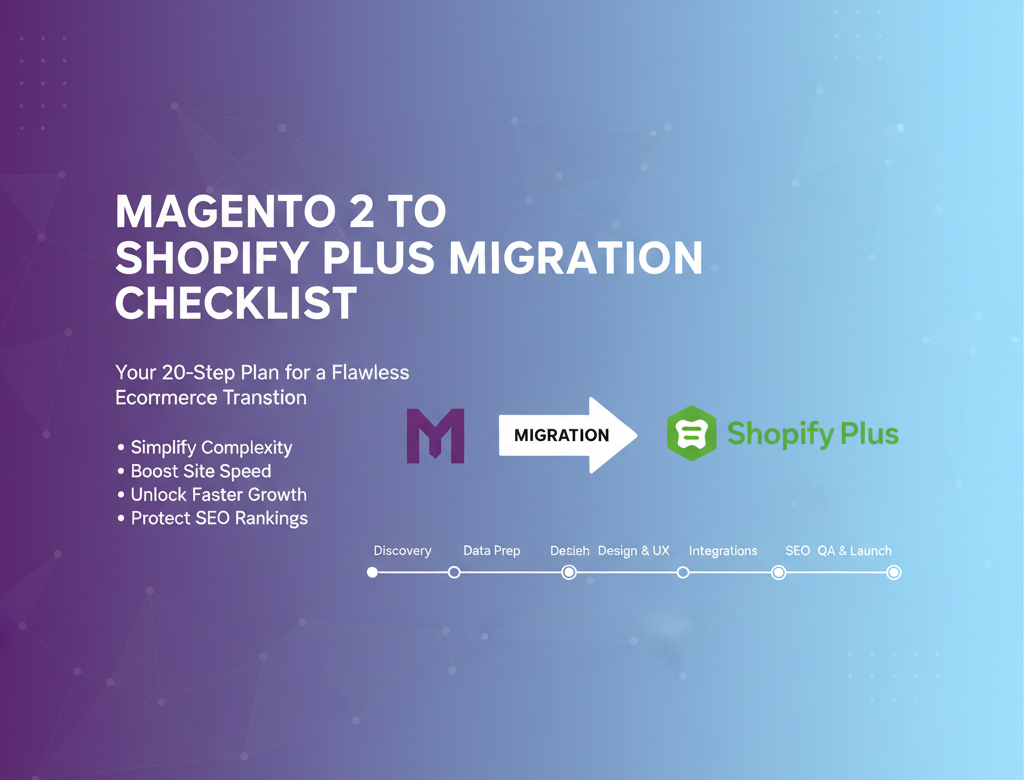
    A Magento 2 to Shopify Plus migration can create massive upside for fast-growing ecommerce brands, but it only goes smoothly when teams approach it with a clear checklist. Magento stores often grow complex over time. Custom modules, third-party extensions, layered tax and shipping rules, performance tuning, caching dependencies, and developer-heavy workflows can all accumulate into a platform that feels powerful but increasingly difficult to manage.

    That is why many brands decide to replatform from Magento to Shopify Plus. They want a faster operating model, a more intuitive admin, a simpler technology footprint, and a stronger foundation for growth. But making the move requires structure.

    This Magento to Shopify migration checklist is designed to help teams plan the transition from discovery through launch.

    1. Define migration goals

    Before you move any data, define success. Are you migrating to improve site speed, reduce maintenance cost, enable faster merchandising, launch internationally, improve mobile conversion, or reduce developer dependency? Your goals should shape the scope.

    2. Audit the current Magento 2 setup

    Document the entire Magento environment. Review:

    • product catalog structure
    • customer groups
    • attribute sets
    • category hierarchy
    • promotions and coupon rules
    • shipping methods
    • payment methods
    • tax logic
    • CMS pages and blogs
    • search functionality
    • reviews and ratings
    • subscriptions or recurring workflows
    • ERP, PIM, CRM, WMS, and middleware integrations
    • installed extensions and custom modules

    This audit helps separate critical functionality from historical clutter.

    3. Identify what not to migrate

    One of the biggest Magento migration mistakes is assuming every custom feature should be rebuilt in Shopify Plus. Many Magento stores contain years of technical debt. Use the migration to simplify where possible.

    4. Plan Shopify Plus architecture

    Decide store structure, market setup, localization needs, B2B requirements, checkout requirements, app strategy, and content model. Confirm whether you are using native Shopify capabilities, apps, custom apps, or middleware.

    5. Prepare data for migration

    Clean product data, customer records, collection rules, media, tags, and historical inconsistencies before migration. Data cleanup reduces issues later.

    6. Map product data carefully

    Magento product structures can be more complex than Shopify’s native model. Review how configurable products, bundles, grouped products, variants, custom options, and product relationships will translate.

    7. Migrate customer accounts and order history

    Decide what customer information must move. Preserve key fields, tags, order history, and segmentation logic where possible. Confirm how customer activation and password reset flows will work after launch.

    8. Rebuild essential integrations

    List every operational dependency. Prioritize ERP sync, inventory management, order routing, fulfillment, tax, subscriptions, reviews, loyalty, email, analytics, and support tooling.

    9. Recreate content and CMS assets

    Review category copy, landing pages, blog posts, guides, FAQs, and brand pages. Keep content that supports organic visibility and conversion.

    10. Create a redirect map

    Magento URL structures often differ significantly from Shopify. Export all relevant URLs and map them to the best destination on the new store. Avoid redirect chains and generic homepage redirects.

    11. Preserve SEO signals

    Retain title tags, meta descriptions, headings, canonical logic, structured data, internal linking, and indexable content where appropriate. Review collection and product page content carefully.

    12. Design for improved UX, not exact parity

    A Magento 2 to Shopify Plus migration is a chance to improve navigation, collection filtering, mobile usability, merchandising, and checkout clarity.

    13. Validate app and extension choices

    Magento extensions do not map one-to-one with Shopify apps. Select apps carefully based on business fit, not feature count alone.

    14. Configure shipping, tax, and payments

    Test rate logic, payment gateways, discount compatibility, shipping thresholds, tax behavior, and regional settings.

    15. Implement analytics and tracking

    Set up GA4, ad platform pixels, server-side tracking if needed, conversion events, enhanced ecommerce, and internal reporting.

    16. Test storefront functionality

    Run QA across product discovery, search, collection filtering, account creation, wishlist behavior if applicable, cart, checkout, promo logic, mobile layouts, and transactional notifications.

    17. Test operational workflows

    Validate order export, refunds, cancellations, inventory sync, returns logic, fraud review, customer tagging, warehouse handoff, and support visibility.

    18. Conduct SEO and technical QA

    Check redirects, canonicals, robots.txt behavior, XML sitemap output, status codes, broken links, metadata, pagination, hreflang if relevant, and schema markup.

    19. Build a launch plan

    Create a cutover checklist with owners, timing, rollback thinking, DNS steps, monitoring tasks, and communication workflows.

    20. Monitor aggressively after launch

    Track rankings, crawl errors, order flow, checkout success, revenue, app errors, page speed, and support issues daily during the stabilization period.

    Final thoughts

    A Magento 2 to Shopify Plus migration is most successful when brands simplify complexity instead of recreating it. The right checklist helps you protect revenue, preserve SEO, and launch a platform your team can actually move fast with.

  • The Complete Guide to Migrating to Shopify Plus

    The Complete Guide to Migrating to Shopify Plus

    Migrating to Shopify Plus is no longer just a technical upgrade. For many growing ecommerce brands, it is a strategic move that affects conversion rate, operational efficiency, customer experience, marketing agility, and long-term total cost of ownership. Whether you are moving from Magento, WooCommerce, Salesforce Commerce Cloud, or a custom-built platform, the decision to replatform usually comes after years of workarounds, rising maintenance costs, sluggish site updates, and a growing gap between what your team needs and what your current stack can realistically support.

    The good news is that a successful Shopify Plus migration does not need to feel risky or chaotic. With the right planning, a clear migration framework, and the right expectations, brands can move to Shopify Plus with minimal disruption and create a stronger foundation for growth.

    This guide walks through the full ecommerce platform migration process, including when it makes sense to migrate, what should be included in your migration scope, how to protect SEO rankings, which integrations matter most, and what a realistic launch plan looks like.

    Why brands are migrating to Shopify Plus

    There are several reasons ecommerce teams choose Shopify Plus over legacy or highly customized platforms.

    The first is speed. Most legacy ecommerce systems are flexible in theory but slow in practice. Simple merchandising updates require developers. Promotions take too long to configure. Launching in new markets becomes a project instead of a workflow. Shopify Plus reduces this friction by giving commerce teams a streamlined admin, a mature ecosystem, and native features that support fast execution.

    The second is cost control. A replatform to Shopify often reduces infrastructure and maintenance burdens. Teams that previously spent heavily on hosting, patching, security updates, and plugin management can shift investment toward acquisition, retention, conversion optimization, and product development.

    The third is scalability. Shopify Plus supports high-growth brands that need reliable performance during large traffic spikes, flash sales, campaign launches, and international expansion. That reliability matters because platform instability during peak demand creates immediate revenue loss and long-term trust issues.

    Another reason is ecosystem maturity. Shopify Plus gives brands access to a large app and partner ecosystem, flexible integrations, B2B capabilities, extensibility through APIs, and a broad talent market. For many organizations, that means less dependence on a narrow set of specialists and a more sustainable operating model.

    Finally, user experience matters. Modern ecommerce growth depends on fast page loads, consistent checkout performance, mobile-first journeys, and frictionless merchandising. Shopify Plus gives brands a strong baseline that can be customized without rebuilding core commerce functions from scratch.

    Signs you are ready to replatform to Shopify

    Not every brand needs to migrate immediately, but there are clear signs that a move is worth evaluating.

    One sign is when your team avoids making changes because the platform is too fragile. If launching a new campaign, editing category logic, or changing checkout-related workflows feels risky, your platform is creating drag.

    Another is rising developer dependency. If your marketers, merchandisers, and ecommerce managers need engineering support for routine tasks, your platform is not aligned with the pace of modern commerce.

    A third sign is a ballooning cost structure. Many brands underestimate the true cost of legacy platforms because they look only at licensing or hosting. When you include maintenance, emergency fixes, plugin conflicts, security updates, and delayed launches, the total cost can be far higher than expected.

    You may also be ready for a Shopify Plus migration if your current site struggles with performance, fails during peak periods, limits international expansion, or makes integrations unusually difficult. These issues often compound over time and become expensive to ignore.

    What is included in a Shopify Plus migration

    A proper Shopify Plus migration is much more than copying products and publishing a new theme. It usually includes several workstreams that must be coordinated carefully.

    The first is discovery and planning. This stage covers business goals, stakeholder alignment, technical architecture, store structure, feature parity decisions, and migration priorities. It is where you decide what to keep, what to improve, and what to leave behind.

    The second is data migration. This typically includes products, collections, customers, order history, gift cards, discount logic, blog content, pages, media, reviews, subscriptions, and sometimes B2B data structures. Data quality matters as much as data transfer. Cleaning outdated or inconsistent data before migration reduces downstream problems.

    The third is design and front-end implementation. Some brands re-create their existing experience on Shopify Plus. Others use the migration as an opportunity to improve UX, simplify navigation, optimize mobile conversion, and modernize brand presentation.

    The fourth is systems integration. Ecommerce rarely operates in isolation. Your Shopify Plus setup may need to connect with ERP, CRM, WMS, PIM, subscription tools, loyalty tools, search and merchandising platforms, tax engines, customer service tools, and analytics stacks.

    The fifth is SEO migration. Organic visibility can be damaged if URL structures change without planning, redirects are incomplete, metadata is lost, internal links break, or content is mishandled. SEO should be part of migration planning from day one, not an afterthought before launch.

    The sixth is QA and launch readiness. This includes functional testing, payment validation, shipping rule checks, tax validation, responsive testing, redirect testing, analytics verification, checkout testing, and content review.

    Platform-specific migration considerations

    Different source platforms come with different migration challenges.

    A Magento to Shopify Plus migration often involves rationalizing complexity. Magento stores tend to accumulate custom modules, layered pricing rules, and heavy technical debt over time. The migration is a chance to simplify where possible and rebuild only the features that truly drive business value.

    A WooCommerce to Shopify migration usually centers around stability, app sprawl, plugin maintenance, and performance. WooCommerce can be effective for smaller teams, but fast-growing brands often hit limits related to scalability, security overhead, and plugin conflicts.

    An SFCC to Shopify migration usually requires careful handling of enterprise workflows, integrations, promotions, and multi-market structures. Teams moving from Salesforce Commerce Cloud may be seeking faster iteration, a more accessible operating model, and lower dependency on specialist resources.

    For custom-built platforms, the biggest challenge is separating necessary business logic from historical customizations. Custom commerce stacks often include years of one-off solutions. A replatform project should identify what is strategically important and avoid rebuilding legacy complexity without strong justification.

    How to create a smart migration plan

    The best Shopify migration checklist starts with business priorities, not just technical requirements.

    Begin by defining why you are migrating. Are you trying to reduce cost, improve speed to market, increase conversion rate, support international expansion, or enable B2B commerce? Those goals should shape scope and timeline.

    Next, audit your current environment. Document all storefront features, integrations, customer-facing workflows, back-office dependencies, content types, SEO assets, and reporting requirements. You cannot migrate well if you do not fully understand the current state.

    Then prioritize features by value. Many replatform projects stall because teams try to preserve every historical behavior. Instead, classify features into must-have, should-have, and can-be-improved-later categories. This helps prevent unnecessary rebuilds and protects timelines.

    You should also establish ownership early. Decide who owns content, design, SEO, integrations, QA, data validation, analytics, and sign-off. Cross-functional alignment reduces launch risk.

    Finally, plan for testing and stabilization. A migration is not complete when the site is published. It is complete when the new platform works reliably across real customer journeys, internal workflows, and business reporting.

    Protecting SEO during the migration

    SEO is one of the biggest concerns in any ecommerce platform migration, and for good reason. Even technically sound launches can cause traffic drops if search considerations are ignored.

    Start with a full URL inventory. Map all existing indexable pages and determine what happens to each one after migration. Important pages should either remain equivalent or redirect cleanly to the most relevant destination.

    Preserve critical on-page elements such as title tags, meta descriptions, headings, copy, canonical logic, structured data, and image alt text where possible. Review internal linking carefully, especially from high-authority pages.

    Create and test 301 redirects before launch. Broken redirects, redirect chains, and homepage redirects are common migration mistakes that waste link equity and hurt user experience.

    You should also verify robots directives, XML sitemaps, canonical tags, noindex logic, and analytics tracking before launch. Once the site goes live, monitor crawl errors, indexation, rankings, and organic landing page performance closely.

    The key point is simple: protecting SEO rankings during a platform migration requires preparation, not hope.

    Common migration mistakes to avoid

    One of the most common mistakes is treating migration as a data transfer project instead of a business transformation project. The store may launch, but if operations, marketing, and customer experience are not considered, the outcome will still disappoint.

    Another common mistake is overcommitting to feature parity. Not every legacy feature deserves to survive the move. Some represent outdated processes that should be retired.

    A third is underestimating integrations. A storefront may look complete while critical backend workflows fail silently. Inventory sync, order routing, tax handling, customer tagging, and ERP sync all need careful validation.

    Poor stakeholder alignment is another risk. If decision-makers disagree on goals, scope creep follows. That delays launch and increases cost.

    Finally, skipping rigorous QA is costly. Launching without testing checkout flows, discount logic, shipping thresholds, mobile layouts, redirects, and analytics can turn launch week into damage control.

    What a realistic timeline looks like

    Shopify Plus migration timelines vary based on catalog complexity, integration depth, market count, design requirements, and stakeholder responsiveness.

    A relatively focused migration can sometimes launch in a matter of weeks, especially when the brand simplifies scope and uses proven patterns. More complex replatform projects may take several months, particularly when they include custom integrations, multi-region architecture, subscriptions, B2B requirements, or a major UX redesign.

    The most important factor is not speed alone. It is controlled execution. A fast launch is valuable only if the store is stable, measured, and ready for growth.

    Measuring success after launch

    A successful migration should be measured against business outcomes, not just go-live status.

    Track conversion rate, average order value, site speed, bounce rate, checkout completion, organic traffic, revenue by channel, operational efficiency, merchandising speed, and support ticket themes. Compare post-migration performance against pre-launch benchmarks.

    You should also gather qualitative feedback from internal teams. Are merchandisers faster? Are marketers more independent? Is the support team handling fewer checkout-related issues? Has the dev team shifted from maintenance to growth work? These operational wins are often where Shopify Plus creates its biggest long-term value.

    Final thoughts

    Migrating to Shopify Plus is a chance to simplify systems, improve agility, reduce technical burden, and create a better customer experience. The brands that get the most from the move are not the ones that copy every detail from the old platform. They are the ones that use replatforming as an opportunity to rethink what modern commerce should look like.

    Whether you are planning a Magento to Shopify Plus migration, moving from WooCommerce to Shopify, evaluating an SFCC to Shopify transition, or leaving behind a custom-built stack, the core principle stays the same: migrate with intention.

    A strong Shopify Plus migration combines business clarity, clean data, careful SEO handling, reliable integrations, and disciplined testing. Get those pieces right and your new platform becomes more than a replacement. It becomes a growth engine.

  • How to Prevent Fraudulent Orders in Shopify

    How to Prevent Fraudulent Orders in Shopify

    Prevent fraudulent orders in Shopify by combining fraud detection, risk scoring, automated rules, and smart order review before fulfillment. Fraud is one of the biggest hidden threats to ecommerce growth because it can lead to lost products, chargeback fees, payment disputes, and unnecessary operational stress.

    If you want to prevent fraudulent orders in Shopify, you need more than basic alerts. You need a system that helps you identify suspicious activity early, review risky transactions faster, and stop high-risk orders before they turn into chargebacks. Shopify provides built-in fraud analysis and risk signals, but many merchants also need a simpler way to automate fraud prevention for their own store rules and customer patterns.

    That is where FraudGuard Chargeback Protect comes in. It is a fully free Shopify app built to help merchants prevent fraudulent orders in Shopify, reduce chargebacks, detect suspicious behavior in real time, and automatically block or flag risky transactions before they become disputes.

    What is a fraudulent order in Shopify?

    A fraudulent order is a transaction that looks legitimate on the surface but carries a high risk of payment abuse or dispute. In Shopify, that often means stolen card use, suspicious customer behavior, proxy-based activity, card testing, or orders that later become “fraudulent” or “unrecognized” chargebacks. Shopify’s fraud tools are designed to help merchants identify suspicious orders, review high-risk transactions, and decide which orders to fulfill.

    In practical terms, a fraudulent order usually shows one or more warning signs:

    • mismatched billing and shipping details
    • unusual location or IP behavior
    • multiple payment attempts
    • very high-value first orders
    • disposable or suspicious email addresses
    • rushed fulfillment requests
    • repeat patterns from known risky regions or domains

    That is why Shopify fraud prevention is less about one single alert and more about spotting patterns early.

    How Shopify helps prevent fraud

    Shopify already includes several tools that help merchants reduce fraud risk. Its fraud stack includes machine-learning-powered fraud analysis, risk indicators on orders, proxy detection, card testing protection, 3D Secure support, Shopify Flow automations, and Shopify Protect for eligible Shop Pay orders. Shopify also says merchants remain in control: Shopify does not automatically decline orders on your behalf, so the final decision to review, approve, hold, or cancel is still yours.

    That last part matters.

    A fraud tool can surface risk, but merchants still need a workflow for acting on it. That is where many stores struggle. They see that an order is medium or high risk, but they do not have a clear process for what to do next.

    The real problem with high-risk Shopify orders

    A high-risk order is not just a warning badge in your admin. It is a decision point.

    If you fulfill it too quickly, you may be shipping inventory to a fraudster. If you cancel too aggressively, you may decline a legitimate customer. Shopify recommends reviewing high-risk orders carefully because they can lead to chargebacks, and chargebacks can create payment-processing issues if they pile up. Shopify also supports using Flow to automate what happens next, such as holding, reviewing, or canceling orders based on risk signals.

    For growing stores, this is where manual review becomes messy. Teams waste time checking first-time buyers, matching email domains, screening countries, or looking for repeat bad actors across previous orders.

    How to prevent fraudulent orders in Shopify

    The most effective way to stop fraudulent orders in Shopify is to combine detection, rules, and automation.

    Start by reviewing Shopify’s fraud analysis. Then create store-specific rules around the signals that matter most to your business, such as order value, buyer history, country risk, and suspicious email patterns. Finally, automate actions like flagging, canceling, or notifying staff so risky orders do not slip through during busy periods. That approach matches the way Shopify recommends managing high-risk orders with fraud analysis and Flow.

    Here are the most practical steps.

    1. Review risk signals before fulfillment

    Do not treat every paid order as safe to ship. Check order risk, customer history, and unusual behavior before fulfillment, especially for expensive products or fast-shipping requests. Shopify’s fraud analysis is built for exactly this kind of review.

    2. Pay extra attention to first-time high-value customers

    Not every new customer is risky, but a first order with a high cart value deserves more scrutiny. This is one of the most common fraud patterns for ecommerce stores because fraudsters often test stolen payment details on higher-value checkouts.

    3. Block suspicious email addresses and domains

    Fraud often clusters around specific disposable inboxes, strange patterns, or known bad domains. Email filtering is one of the simplest ways to stop repeat abuse before it reaches fulfillment.

    4. Restrict orders from high-risk countries when needed

    Some stores see repeated fraud attempts from a small number of regions. If your chargeback history clearly points to country-based risk, location rules can reduce exposure without slowing down all orders.

    5. Hold or cancel orders that cross your risk threshold

    A fraud prevention process only works if it leads to action. Risk scoring is helpful because it lets you decide when an order should be approved, flagged, or canceled instead of relying on gut instinct.

    6. Add admin and customer notifications

    When an order is canceled or flagged, your team should know immediately. In some cases, sending a clear notification to the customer also reduces confusion and support overhead.

    7. Use automation instead of manual review alone

    Shopify Flow can automate fraud-related tasks, including workflows triggered after order risk is analyzed. That makes it easier to notify staff, hold fulfillment, or run follow-up actions when certain risk conditions are met.

    A simpler free solution: FraudGuard Chargeback Protect

    If you want a more direct, merchant-friendly way to prevent chargebacks and stop suspicious orders, FraudGuard Chargeback Protect is built for that job.

    FraudGuard helps Shopify merchants prevent chargebacks, detect fraud, and stop risky orders before they become disputes. It monitors orders in real time, shows clear risk signals, and lets merchants customize fraud rules around the issues that usually matter most in daily operations.

    With FraudGuard Chargeback Protect, merchants can use:

    • Configurable risk scoring with threshold-based cancel or flag actions
    • Email blacklist and domain filters to block suspicious addresses
    • Country blocking to restrict orders from high-risk regions
    • First-order rules for high-value new-customer checks
    • Automated cancellation with customer and admin notifications

    The biggest advantage is simplicity. Instead of piecing together your process from multiple tools and manual checks, FraudGuard gives you one clear system for deciding which orders to trust, which to review, and which to block.

    And because it is fully free, it is especially attractive for small and growing Shopify stores that need stronger fraud prevention without taking on another monthly app bill.

    Where FraudGuard fits alongside Shopify’s built-in tools

    FraudGuard does not replace the value of Shopify’s native fraud ecosystem. Shopify still provides core protection layers like fraud analysis, proxy detection, card testing protection, 3D Secure support, and Shopify Protect on eligible Shop Pay orders. But many merchants still want more store-specific control, especially around custom rules and automated order handling.

    That is where FraudGuard fits naturally.

    It gives merchants a practical way to act on fraud signals with rules that reflect how their store actually operates. For example:

    • a jewelry store may want to flag first-time orders over a certain value
    • a digital goods store may want to block known bad email domains
    • a niche brand may want to restrict orders from countries with repeated chargeback issues
    • a lean team may want automatic cancellations instead of constant manual review

    In other words, Shopify helps you see fraud risk. FraudGuard helps you operationalize your response.

    How to reduce chargebacks before they happen

    Chargeback prevention starts before the dispute is ever filed.

    The best stores reduce chargebacks by screening risky orders early, keeping clean customer communication, and using fulfillment controls when something looks off. Shopify notes that protected eligible Shop Pay orders can be covered by Shopify Protect for certain fraudulent and unrecognized chargebacks, including reimbursement of the chargeback amount and fee when an order is protected. But not every order is eligible, which is why prevention still matters across the rest of your checkout flow.

    A smart chargeback prevention workflow usually includes:

    • reviewing medium and high-risk orders
    • setting rules for risky first orders
    • blocking known bad emails and countries
    • using automated flags or cancellations
    • holding fulfillment when fraud signals are strong
    • keeping proof of shipping and delivery where relevant

    Final thoughts

    Preventing fraudulent orders in Shopify is not about chasing every possible fraud tactic. It is about building a system that catches the most common risks before they cost you money.

    Shopify already gives merchants strong fraud tools, including fraud analysis, automation support with Shopify Flow, and added protection on eligible Shop Pay orders. But many merchants still need something more tailored and easier to use day to day.

    That is why FraudGuard Chargeback Protect is a compelling solution.

    It gives Shopify stores a fully free, practical way to prevent chargebacks, detect fraud, block risky orders, and automate protection without adding complexity. For merchants who want clearer fraud rules, faster decisions, and fewer disputes, it offers a simple way to protect revenue while keeping operations efficient.

  • How InviGen AI Helps Shopify Merchants Create SEO Blogs, ALT Text, and Product Descriptions Faster

    How InviGen AI Helps Shopify Merchants Create SEO Blogs, ALT Text, and Product Descriptions Faster

    Shopify SEO content generator tools help merchants save time, improve search visibility, and create better store content at scale. InviGen AI is a Shopify SEO content generator that helps merchants create SEO blog posts, image ALT text, and product descriptions faster without writing everything manually.

    That’s where InviGen AI comes in.

    InviGen AI helps Shopify merchants generate SEO-optimized blog articles, image ALT text, and product descriptions in seconds. Instead of spending hours writing content by hand, you can create consistent, keyword-rich content across your store quickly and efficiently.

    Whether your goal is to save time, improve search visibility, boost organic traffic, or maintain a more polished storefront, InviGen AI makes content creation much easier.

    Why Content Matters for Shopify SEO

    A well-designed Shopify store is not enough on its own. If you want more people to discover your products through search engines, you need content that helps your store rank.

    Search engines look for useful, relevant, and well-structured content. That includes:

    • Blog posts that target search queries your customers are already looking for
    • Product descriptions that clearly explain features and benefits
    • Image ALT text that improves accessibility and helps search engines understand your visuals

    These are core parts of strong on-page SEO. When they’re missing, rushed, or inconsistent, your store misses opportunities to appear in search results and attract qualified traffic.

    For many merchants, the issue isn’t knowing what needs to be done. It’s having the time to do it well and consistently.

    The Challenge of Writing Everything Manually

    Creating content manually might be manageable when your store is small. But as your product catalog grows, the workload increases fast.

    You may need to write:

    • Descriptions for dozens or hundreds of products
    • ALT text for large numbers of product images
    • Blog posts to support SEO and attract organic traffic
    • Updated content for seasonal campaigns or new collections

    This work adds up quickly.

    On top of that, manual writing can lead to inconsistency. Some descriptions may be detailed while others are too short. Some images may have ALT text while others are skipped. Blog posting may become irregular because there simply isn’t enough time.

    That inconsistency can affect both user experience and SEO performance.

    What InviGen AI Does

    InviGen AI is built to solve this exact problem.

    It helps Shopify merchants generate:

    1. SEO-Optimized Blog Articles

    Create blog posts in seconds that support your content strategy and help your store rank for relevant search terms.

    2. Image ALT Text for Accessibility

    Generate clear ALT text for your product and store images to improve accessibility and strengthen image SEO.

    3. Consistent Product Descriptions

    Write clean, keyword-rich product descriptions that save time and create a more professional shopping experience.

    Instead of staring at a blank page or rewriting repetitive content over and over, you can use AI to create high-quality store content faster.

    Generate SEO Blog Articles in Seconds

    Blogging is one of the most effective ways to grow organic traffic for a Shopify store.

    A strong blog can help you target informational keywords, answer customer questions, and bring in visitors who are still researching before making a purchase. It can also support internal linking and build topical relevance around your products and niche.

    But writing blog posts consistently is hard.

    A good SEO blog article takes planning, structure, keyword placement, and readable formatting. For busy store owners, that can mean hours of work for just one post.

    With InviGen AI, you can generate SEO-focused blog content in seconds.

    This makes it easier to:

    • Publish content more consistently
    • Target more relevant keywords
    • Support your SEO strategy at scale
    • Save time on content production
    • Keep your store active with fresh content

    Instead of delaying your blog strategy because of time constraints, you can start producing articles much faster and keep building long-term search visibility.

    Create Image ALT Text for Better Accessibility and SEO

    Image ALT text is often overlooked, but it’s an important part of a well-optimized Shopify store.

    ALT text helps describe images for users who rely on screen readers, making your store more accessible. It also gives search engines extra context about your images, which can support overall SEO.

    The problem is that writing ALT text manually for every product image can be repetitive and time-consuming, especially if you have a large catalog.

    InviGen AI makes this task much easier by generating image ALT text quickly and consistently.

    This helps you:

    • Improve accessibility for all visitors
    • Save time on repetitive image optimization tasks
    • Keep your image content descriptive and organized
    • Support better on-page SEO across your store

    For merchants who upload products regularly, this feature can save a huge amount of manual work.

    Write Better Product Descriptions Without the Repetition

    Product descriptions do more than fill space on a page. They help shoppers understand what you’re selling, what makes it valuable, and why they should buy from you.

    At the same time, product descriptions also support SEO by giving search engines meaningful content to understand and rank.

    Unfortunately, writing product descriptions manually can become exhausting — especially if you have many products or frequently update your store.

    Common problems with manual product descriptions include:

    • Repetitive wording
    • Thin or vague copy
    • Inconsistent tone across products
    • Missing keywords
    • Descriptions that focus on features but ignore benefits

    InviGen AI helps solve these problems by generating product descriptions that are clear, consistent, and optimized for ecommerce.

    With AI-generated descriptions, Shopify merchants can:

    • Launch products faster
    • Improve consistency across listings
    • Save time writing product copy
    • Maintain a stronger brand presentation
    • Create keyword-rich descriptions more easily

    This is especially valuable for stores with growing catalogs or teams that need to manage content at scale.

    Why Shopify Merchants Use AI for Content Creation

    AI doesn’t replace your business strategy — it helps you execute faster.

    As a store owner, you still know your products, your customers, and your positioning best. But instead of spending countless hours writing repetitive content, you can use AI to speed up the process and focus more on growth.

    That’s why more Shopify merchants are turning to tools like InviGen AI.

    The benefits are clear:

    • Save time on content creation
    • Improve consistency across your store
    • Support SEO efforts with keyword-rich content
    • Scale faster without adding more manual work
    • Keep your content organized and more professional

    For lean teams and solo merchants especially, this can make a major difference.

    Who InviGen AI Is Best For

    InviGen AI is a great fit for Shopify merchants who want to improve store content without spending hours writing everything manually.

    It’s especially useful for:

    • Solo Shopify store owners
    • Small ecommerce teams
    • Merchants with large product catalogs
    • Stores focused on organic growth
    • Brands that want more consistent content
    • Businesses looking to improve accessibility and SEO

    If your store needs better blog content, more polished product descriptions, or faster ALT text generation, InviGen AI can help simplify the process.

    Scale Your Store Content With Less Manual Work

    Creating SEO content for a Shopify store takes time — but it doesn’t have to slow down your growth.

    With InviGen AI, merchants can generate blog posts, image ALT text, and product descriptions in seconds. That means less time spent writing manually and more time focused on improving products, marketing, and sales.

    If you want to make your store content more efficient, more consistent, and more SEO-friendly, InviGen AI gives you a practical way to do it.

    Final Thoughts

    Content is one of the most important parts of Shopify SEO, but it’s also one of the hardest parts to keep up with consistently.

    Blog articles help attract organic traffic.
    Image ALT text improves accessibility and strengthens optimization.
    Product descriptions help shoppers convert and give search engines valuable context.

    Doing all of that manually can take hours.

    InviGen AI helps Shopify merchants create all three faster — so you can save time, improve search visibility, and scale your content strategy with ease.

    If you’re looking for a smarter way to create SEO content for your Shopify store, InviGen AI is built to help.

Antimanual

Ask our AI support assistant your questions about our platform, features, and services.

You are offline
Chatbot Avatar
What can I help you with?